SWWE50N3, SWWE50W4, SWWG50N3, SWWG50W4, WKGX301, WKGX301HBA
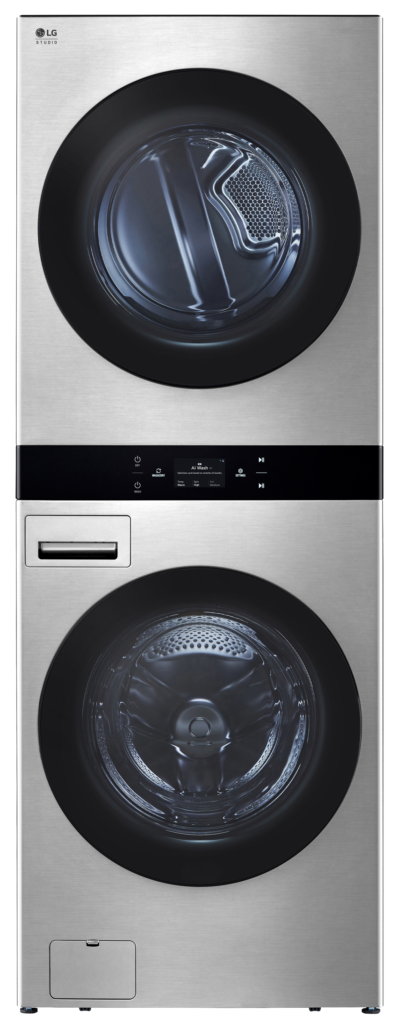
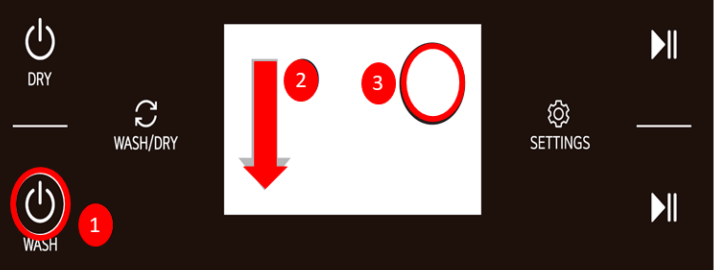
To Access Test Mode:
- Touch Power
- Slide down
- Touch
- Select manual mode
WARNING
The unit must be empty before beginning test mode. Running test mode with clothing inside could cause damage to the machine. Washing Machine service tests should only be used for testing. Test mode procedures should be used only by qualified service technicians and are not intended to be used by customers. Do not use these tests other than specified.
| Check Point | Display Status | |
|---|---|---|
| NONE | LED inspection & door S/W operation | Led full on Initial characters IU:XX (Main version:XX)→Id:XX (Display Version:XX) |
| 1 TIME | Check WIFI modem | “go” or “—“ |
| 2 TIME | Tumble clockwise | Rpm 42~50 |
| 3 TIME | Low speed spin (600 rpm) | Rpm 55~65 |
| 4 TIME | High speed spin (Max rpm) & check Wifi modem | Rpm 90~120 |
| 5 TIME | Pre-wash valve | Water Level 225~255 |
| 6 TIME | Main wash valve operate | Water Level 225~255 |
| 7 TIME | Hot valve operate | Water Level 225~255 |
| 8 TIME | Bleach valve operate | Water Level 225~255 |
| 9 TIME | Dry valve operate | Water Level 225~255 |
| 10 TIME | Steam valve operate | Water Level 225~255 |
| 11 TIME | Drum tub left turn (50 rpm) & tub lamp on | Rpm 42~50 |
| 12 TIME | Wash heater operate | Water Temperature °C |
| 13 TIME | Circulation pump operate & door lamp on | Water Level 225~255 |
| 14 TIME | Drain pump operation & auto dispenser operation | Water Level 225~255 |
| 15 TIME | Steam level sensor | Steam Model only |
| 16 TIME | Steam heater operate | Steam Model only |
| 17 TIME | Dry fan / Dry heater | Steam Model only |
| 18 TIME | Modem error check | nE or nF |
| 19 TIME | OFF | All LEDs off |
Explanation of Values on Display
This number dropping verifies that your pressure sensor is sensing the water level in the data tub.
Example: If the number starts at 225 as the water is pumped out the number will count up, 226…227, etc, until the drum is empty.
This number increasing also verifies that your pressure sensor is sensing the water level in the tub.
During Tumble: The readout will show 2 digits, normally in the (40~65) range. This means the motor is turning at 40-65 RPM.
During Low Speed Spin: The readout will also show 2 digits, normally in the (40~65) range. But when in SPIN these numbers mean 400-650 RPM.
During High Speed Spin: The readout will increase to show 3 digits, normally in the (100~150) range. In High Speed spin these numbers mean 1000-1500 RPM.